Laptop problems · Split and the surrounding area
Laptop overheating? Why it happens and what to do
The cause can be dust in the cooling system, old thermal paste or another fault.
Tell us in your own words what the laptop does. “It gets hot and shuts off” is enough.
What can cause overheating
These are possibilities. We find out which one it is on your laptop when we check it.
Dust in the fan and heatsink
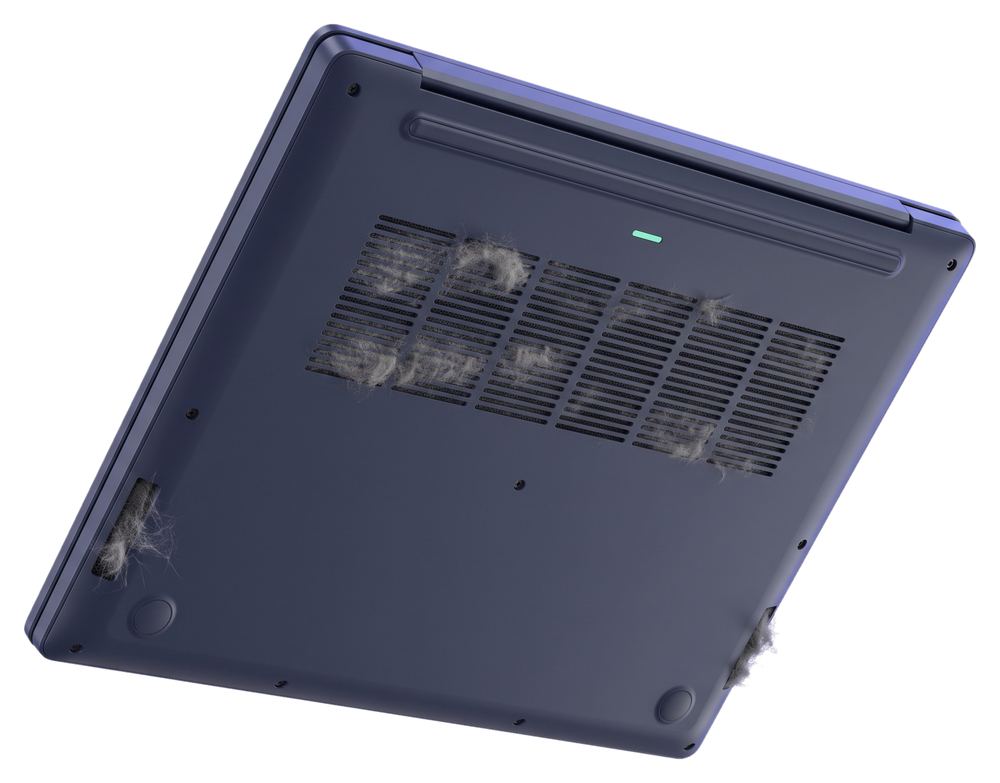
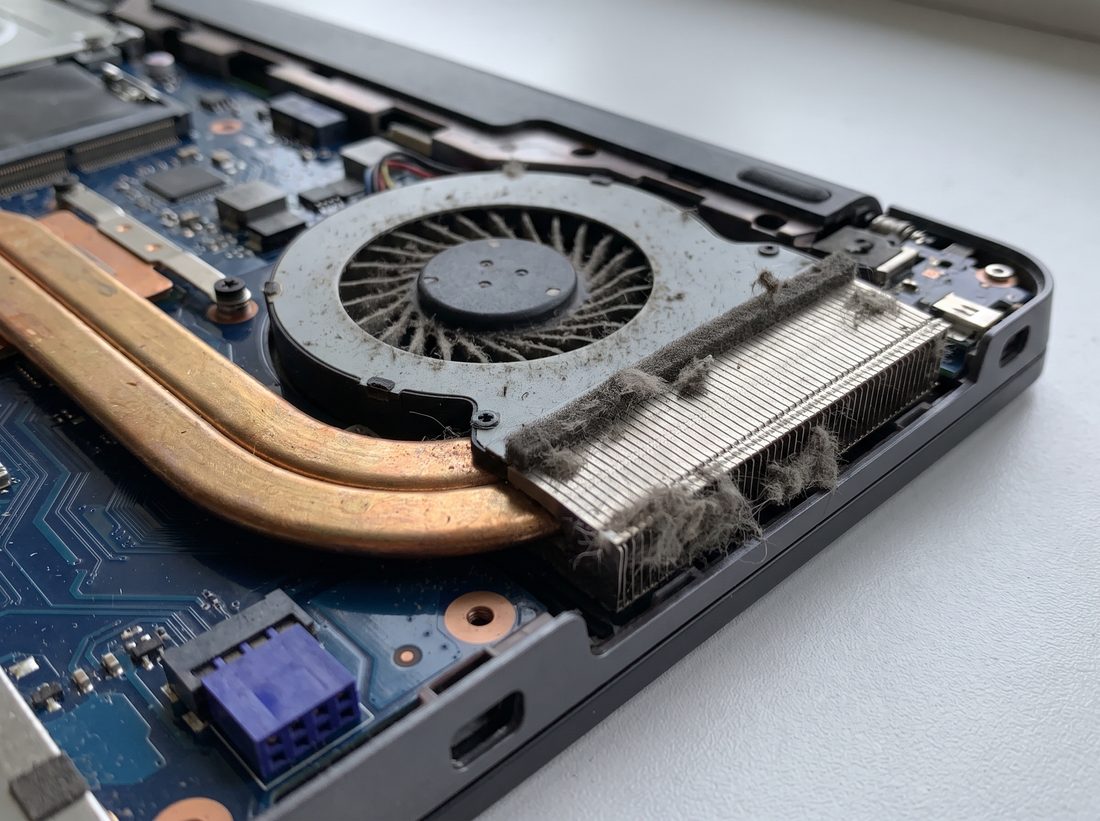
Dust blocks the heatsink fins and less air gets through. We clean the fan and heatsink and replace the old thermal paste with fresh paste.
Dried-out thermal paste
The paste carries heat from the processor to the heatsink. Once it dries out, less heat passes to the heatsink.
Blocked air vents
On a bed, a pillow or a blanket, the laptop has nowhere to draw air from.
A program that keeps the processor busy
A program or virus running in the background keeps the processor working all the time. We remove viruses and malicious programs.
A fan that isn't working properly
If the fan doesn't spin or it grinds, we find the cause during the check. We replace a faulty fan when a new one can be ordered for your model.
Not sure what the cause is on yours? Call +385 97 613 1940 and tell us when the laptop gets hot.
Until we check the laptop
Don't keep it on a bed or a blanket
A soft surface blocks the air vents on the bottom. Put it on a table or another hard surface.
Don't cool it in the fridge or with ice
A sudden change in temperature creates moisture inside the case.
Don't wait for it to shut off by itself
If the laptop shuts off in the middle of work, save your work and turn it off yourself before it cuts out.
Don't open the case without the right tools
Clips and thin cables break easily, and the fault gets worse.
How your laptop gets to us
Call us
Or message us on WhatsApp and tell us when the laptop gets hot.
We pick up your laptop
Free, at your address.
We tell you when it will be ready
Roughly, once we've picked up the laptop.

30 kmfrom Trogir to Omiš
Outside that area you can send us your laptop by post.
After the check, we tell you what needs doing and what it costs. We only start work once you confirm the price.
Questions about laptop overheating
Why does a laptop overheat and shut itself off?
When the cooling system can't carry the heat away, the laptop shuts off to protect the processor. The cause can be dust, dried-out thermal paste, blocked air vents or a fan that isn't working properly. We find out which one it is when we check the laptop.
Why is my laptop fan always loud?
The fan spins faster when the laptop is warm. If it's loud even when you're just browsing the internet, the cooling system may be clogged with dust or a program in the background may be keeping the processor busy.
Can I clean the dust out of my laptop myself?
You can clean the air vents on the outside yourself. To clean the fan and heatsink, the laptop has to be opened. We do that, and we replace the thermal paste at the same time.
How much does it cost to clean a laptop that overheats?
Our prices are in the price list. We tell you the final price after we check the laptop, before we start work. If you have us do the repair, the check is included in the price.
Tell us when your laptop gets hot
Does it heat up right away or after a while? Is it loud? Does it shut off by itself? We arrange the pick-up in the same conversation.